Resume Customization Workflow 2026: Beat the ATS

A resume customization workflow is the systematic process of tailoring your resume for each job application to match ATS requirements and recruiter expectations. In 2026, this process matters more than ever. Approximately 75% of resumes are rejected by Applicant Tracking Systems before a human ever reads them. The good news is that a structured resume customization workflow 2026 job seekers can follow reduces that risk significantly. ATS platforms like Workday, Greenhouse, and iCIMS now dominate corporate hiring, and they score resumes algorithmically before any recruiter sees them. Getting past those filters requires more than a well-written resume. It requires a repeatable, fast, and accurate tailoring process.
What does an efficient resume customization workflow in 2026 require?
Every effective tailoring process starts with a strong base resume. Think of it as your master document: a complete, honest record of your skills, experience, and achievements. You never submit this version directly. Instead, you copy it and tailor the copy for each role.
Your base resume needs to be in a machine-readable format. Single-column layouts, standard fonts like Arial or Calibri, and clear section headings (Work Experience, Skills, Education) give ATS systems the best chance of parsing your content correctly. Avoid tables, graphics, and text boxes entirely.

Beyond the base resume, you need two more things: a reliable source of job descriptions and a way to track your applications. Job boards like LinkedIn, Indeed, and Glassdoor work well for sourcing postings. For tracking, a simple spreadsheet or a platform with built-in application management keeps you from losing track of where you applied and what version of your resume you sent.
Here is what your toolkit should include before you start tailoring:
- Base resume: A complete, editable master document in a clean, single-column format
- Job description source: A consistent platform where you pull postings for roles you want
- AI drafting assistant: A tool that reads job descriptions and suggests edits to your resume content
- Application tracker: A spreadsheet or integrated platform to log submissions, dates, and resume versions
- ATS-compatible templates: Pre-formatted layouts that pass ATS parsing without errors
Pro Tip: Save each tailored resume with a filename that includes the company name and date, like “CompanyName_RoleName_2026.pdf”. This makes version control effortless when you are managing multiple applications.
Platforms that combine resume building, job tracking, and application management improve application efficiency and reduce errors. That integration matters because switching between five separate tools slows you down and increases the chance of submitting the wrong version.
How to execute a step-by-step resume tailoring process for each job
Speed and accuracy are not opposites in resume tailoring. With the right process, you can cut tailoring time from 30 minutes to under 2 minutes per application. That number sounds impossible until you have a repeatable system. Here is the exact workflow we recommend.
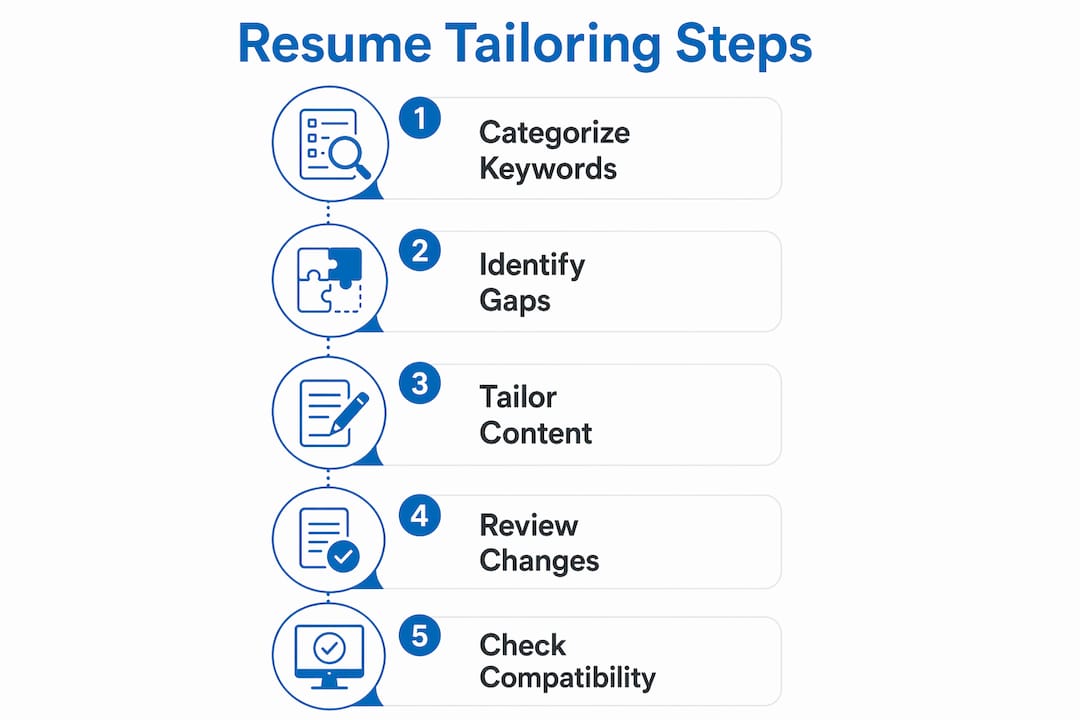
Step 1: Categorize the job description keywords
Read the job posting once and sort its requirements into three buckets: Technical Skills (Python, Salesforce, SQL), Soft Skills (communication, leadership, problem-solving), and Industry Terms (SaaS, B2B, HIPAA compliance). Categorizing skills by type guides truthful tailoring and prevents you from missing critical keywords. This step takes about 3 minutes the first time and gets faster with practice.
Step 2: Use AI to identify gaps
Paste your base resume and the job description into your AI drafting assistant. Ask it to identify skills or terms in the posting that are missing or underrepresented in your resume. Modern AI tools flag required skills and suggest edits based on your existing content while preserving your voice. You are not asking AI to invent experience. You are asking it to surface what you already have that matches.
Step 3: Tailor your summary, bullets, and skills section
Rewrite your professional summary to reflect the specific role. Adjust two or three bullet points in your most recent positions to mirror the language in the job description. Update your skills section to include the exact terms the posting uses, as long as they are honest. ATS systems match keywords literally, so “project management” and “managing projects” are not the same to a parser.
Step 4: Review every AI-generated change
This step is non-negotiable. AI draft, human review is the standard that prevents hallucinated metrics and false responsibilities from appearing on your resume. Read every suggested change out loud. If a bullet point claims you “increased revenue by 40%” and you cannot verify that number, delete it or replace it with what you can verify.
Step 5: Check ATS compatibility before submitting
Run your tailored resume through an ATS checker or paste it into a plain text editor. If the formatting breaks or sections appear out of order, your resume will likely fail parsing. Aim for an 80–90% keyword match between your resume and the job description. That range significantly improves your pass-through rate without tipping into keyword stuffing.
Pro Tip: Create a reusable AI prompt template that includes placeholders for the job title, company name, and key requirements. Filling in the template takes 60 seconds and produces consistent, high-quality drafts every time.
What mistakes should you avoid in your resume customization workflow?
The most common mistake is over-customization. Job seekers sometimes rewrite their entire resume for every posting, which creates inconsistencies and makes the document harder for ATS to parse. Tailor the summary, a few bullets, and the skills section. Leave the rest of your base resume intact.
Formatting errors are the second-biggest problem. Two-column and graphic-heavy resumes cause parsing errors in ATS systems like Workday and Greenhouse. A visually impressive resume that fails to parse is functionally invisible to a recruiter. Stick to ATS-safe formatting with standard headings, no images, and no tables inside your content sections.
Keyword stuffing is another trap. Inserting a keyword 12 times does not improve your score. It makes your resume read as spam to both ATS algorithms and human reviewers. Use each keyword naturally, in context, once or twice.
Failing to review AI edits is the single most damaging mistake in a modern resume workflow. AI tools occasionally invent metrics, add responsibilities you never held, or use phrasing that does not match your actual experience. Every AI-generated sentence needs a human set of eyes before it goes on your resume.
Neglecting your application tracker is the final pitfall. When you apply to 20 roles in a week without tracking, you lose visibility into which resume version you sent where. That creates problems when a recruiter calls and you cannot remember what you told them about your experience.
How can you speed up resume tailoring without losing accuracy?
Speed comes from preparation, not shortcuts. The single biggest time-saver is a well-maintained base resume. If your base document is current, complete, and cleanly formatted, every tailoring session starts from a strong position.
AI tools accelerate the process, but only when you use them correctly. AI reduces tailoring time drastically but requires human oversight to maintain accuracy. The practical balance is this: let AI generate the first draft of your tailored summary and bullet point suggestions, then spend 5 minutes verifying every change against your actual experience.
Here are the best practices for maintaining speed without sacrificing quality:
- Keep your base resume updated monthly. Add new projects, skills, or achievements as they happen, not when you need them.
- Build a keyword library. After tailoring 10 resumes, you will notice recurring terms in your field. Keep a running list so you can insert them quickly.
- Use a consistent AI prompt. A reusable prompt that includes your role, target industry, and experience level produces better results than a new prompt every time.
- Batch your applications. Tailoring three resumes in one session is faster than tailoring one per day because you stay in the workflow mindset.
- Set a 15-minute cap per application. If tailoring a resume takes longer than 15 minutes, your base document needs updating, not more tailoring.
Pro Tip: Integrate your job discovery and tailoring steps. When you find a posting you want to apply for, immediately copy the job description into your tailoring document before you close the tab. Losing the original posting is a common and avoidable delay.
Platforms that connect AI-powered resume tailoring with job description parsing and application tracking eliminate the manual handoffs between tools. That integration is where the biggest time savings come from in 2026.
Key Takeaways
A structured resume customization workflow that combines AI drafting with mandatory human review is the most reliable way to pass ATS filters and reach recruiters in 2026.
| Point | Details |
|---|---|
| Build a strong base resume | A clean, single-column master document is the foundation of every fast tailoring session. |
| Target 80–90% keyword match | Matching job description keywords at this rate significantly improves ATS pass-through rates. |
| Use AI as a drafting assistant | Let AI suggest edits, then verify every change against your real experience before submitting. |
| Avoid multi-column templates | Graphic-heavy or two-column layouts cause parsing errors in Workday, Greenhouse, and iCIMS. |
| Track every application | Logging resume versions and submission dates prevents errors and keeps your search organized. |
What I have learned from watching resume workflows evolve
I have spent years watching job seekers make the same mistake: they treat resume tailoring as a one-time creative task instead of a repeatable process. The ones who get interviews fastest are not the ones with the most polished resumes. They are the ones with the most disciplined workflows.
AI has genuinely changed what is possible here. The idea that you can tailor a resume in under 2 minutes would have sounded absurd three years ago. Now it is realistic, but only if you have done the preparation work. The AI is only as good as the base resume you feed it. Garbage in, garbage out.
What concerns me is the growing overreliance on ATS scores as a proxy for quality. A resume that scores 95% on an ATS checker is not automatically a good resume. It is a resume that matches keywords. Recruiters still read the top third of every resume that passes the filter, and weak writing or vague bullet points will end your candidacy just as quickly as a failed parse.
My honest prediction for 2027 and beyond: the job seekers who win will be the ones who treat their resume as a living document, not a static file. Update it monthly. Refine your workflow quarterly. The tools will keep improving, but the discipline behind the workflow is what separates a 10% callback rate from a 40% one.
— Johan
Jobalign takes the manual work out of resume tailoring
Jobalign is built specifically for job seekers who want fast, ATS-ready resumes without the manual back-and-forth. It syncs directly with your LinkedIn profile, extracts your relevant experience and skills, and generates a tailored resume for each job posting automatically.
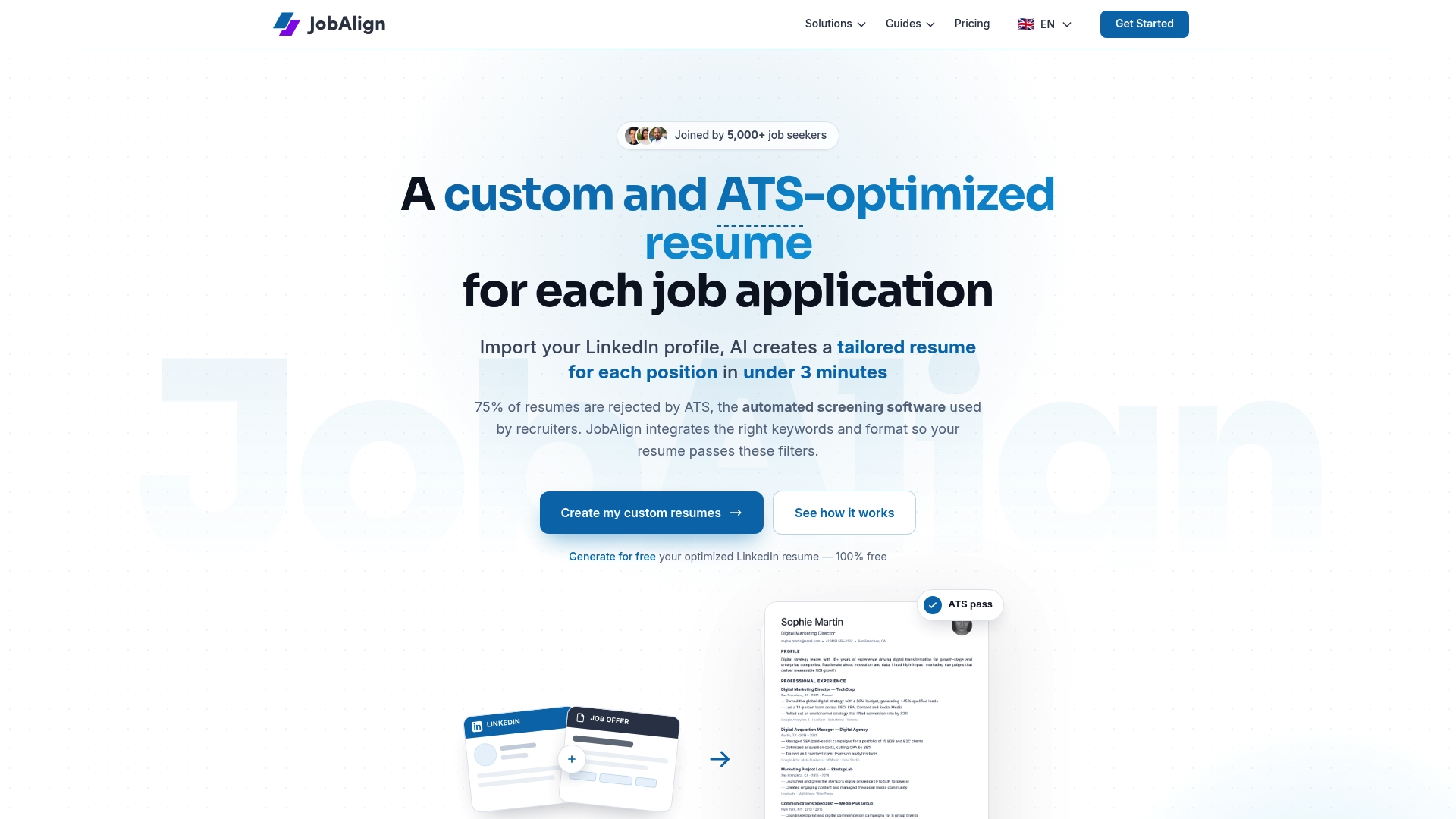
Jobalign’s proprietary technology matches your background to the job description’s keywords, producing resumes that meet the ATS formatting standards that Workday, Greenhouse, and iCIMS require. The platform reports an 87% ATS pass rate for resumes it generates. You get unlimited tailored resumes, no complicated setup, and a review step that keeps you in control of what goes out. If you want to put the workflow on autopilot without sacrificing accuracy, Jobalign’s LinkedIn Resume Generator is the place to start.
FAQ
What is a resume customization workflow?
A resume customization workflow is a repeatable process for tailoring your resume to each job posting, covering keyword matching, content editing, formatting checks, and submission tracking. The goal is to pass ATS filters and reach a human recruiter.
How many keywords should my resume match from a job description?
Aim for an 80–90% keyword match between your resume and the job description. That range improves ATS pass-through rates without triggering keyword-stuffing flags.
Is it safe to let AI write my resume?
AI is a reliable drafting assistant, not a replacement for your judgment. Use it to generate suggestions, then review every change to confirm accuracy and remove any invented metrics or responsibilities.
What resume format works best for ATS in 2026?
Single-column layouts with standard section headings, no graphics, and no tables parse most reliably in ATS systems like Workday, Greenhouse, and iCIMS. Avoid decorative or multi-column templates entirely.
How long should resume tailoring take per application?
With a strong base resume and an AI drafting tool, tailoring each application takes under 15 minutes manually or under 2 minutes with a fully integrated platform. The preparation work is what makes that speed possible.